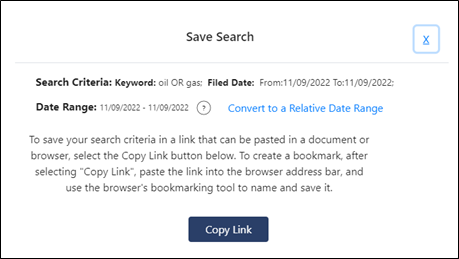
1. Click the Save Search link at the top of the screen. You can save your search Criteria using a Fixed date range or a Relative Date range. If your original date ranch for your search was fixed, then the Convert to a Relative Date Range link will display.
2. 2. Click the convert to a Relative Date Range link. A Relative date range will allow you to change the date range based on the day you open the Saved Search link.
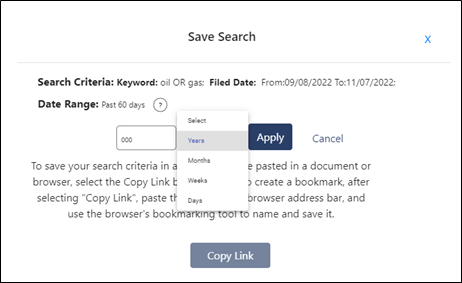
3. 3. Select a different date range from the drop-down options to change the date from the original search.
4. 4. Click the Apply button to apply the change.
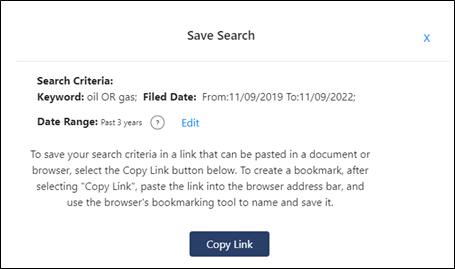
5. 5.. If your original search was relative then the edit link will display when you click the save search link and you can change your search to a fixed date range.
.
6.
6. Click the Copy Link button to copy the URL to a browser to save as a favorite.